Plott App
January 2022 to November 2022
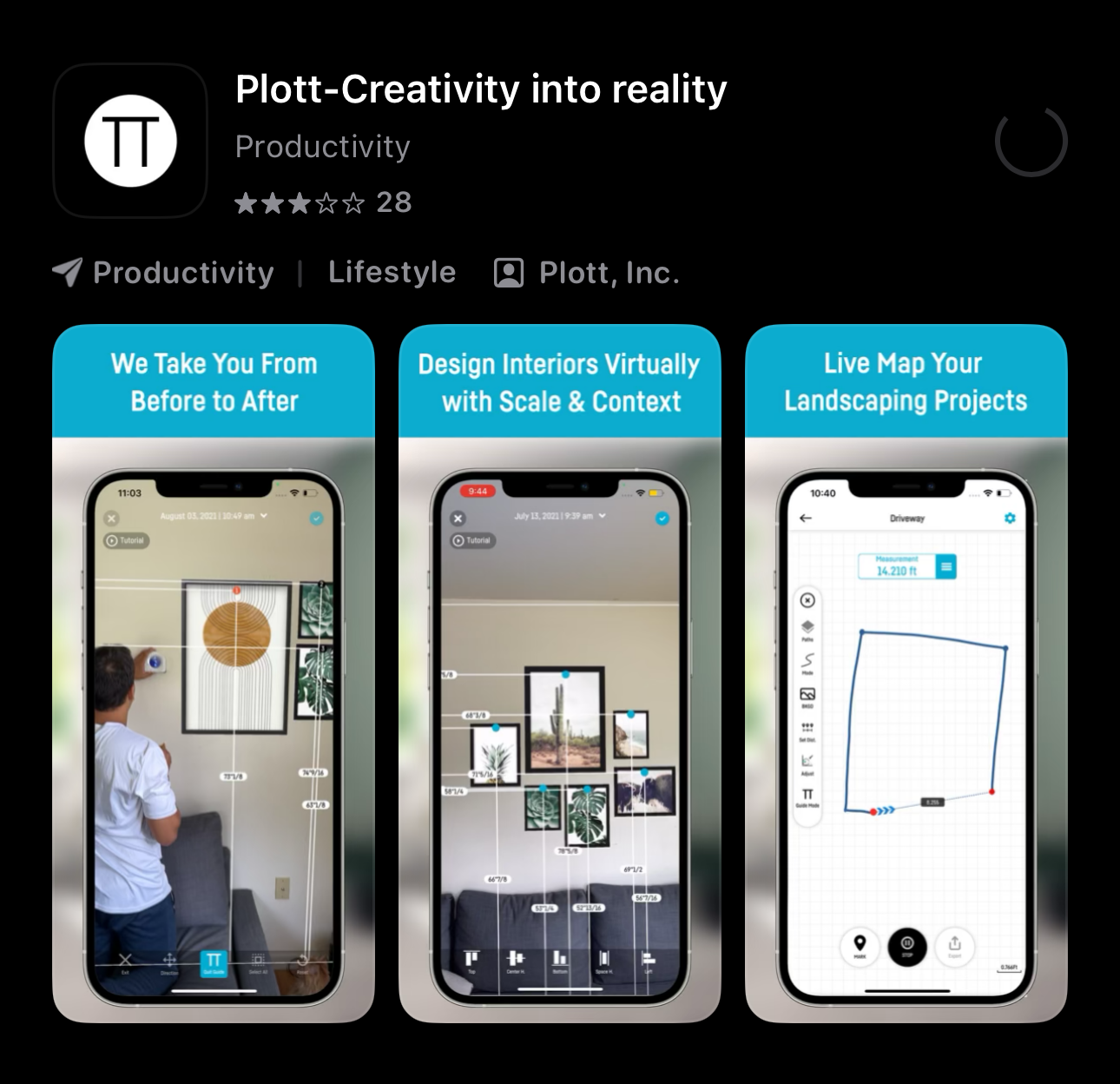
Project Overview — Plott App Notes Feature
Plott is a mobile measuring tool that pairs with a physical wheel and uses the phone’s geolocation to calculate distance from a start point to an end point. While the system is accurate for linear measurements, it does not track or account for elevation. My task was to design and integrate a notes feature that could be attached to each path a user walked.
Understanding the Existing Product
Before designing anything, I spent time testing the current version of the app myself. I measured my own office space and documented the full workflow: starting a path, walking the route, saving it, and reviewing the data.
This hands-on testing helped me identify pain points, especially around how information was stored and accessed after a path was recorded.
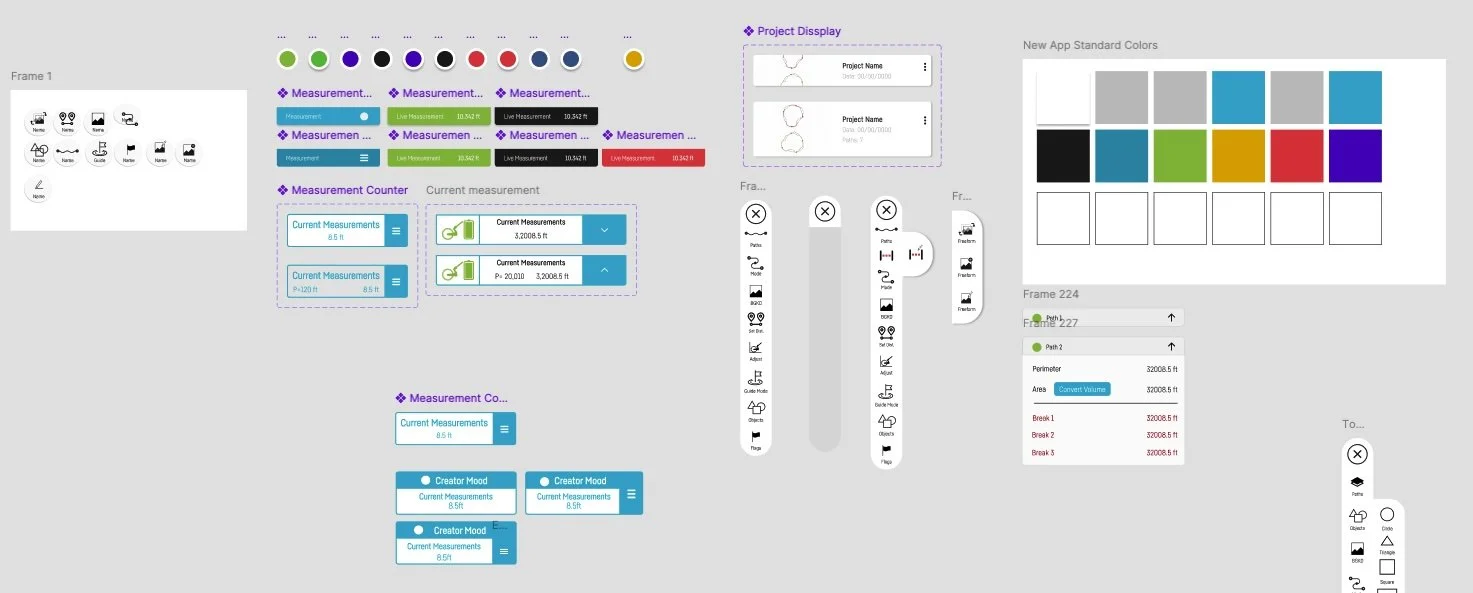
App UI Component Library
For the app, I created a comprehensive asset library in Figma to support a more unified and scalable design system. This included establishing a consistent color palette, designing reusable button components, and defining typography, spacing, and interaction states. The goal was to ensure visual consistency across the entire product, streamline future development, and provide the team with a centralized source of truth for all UI elements.
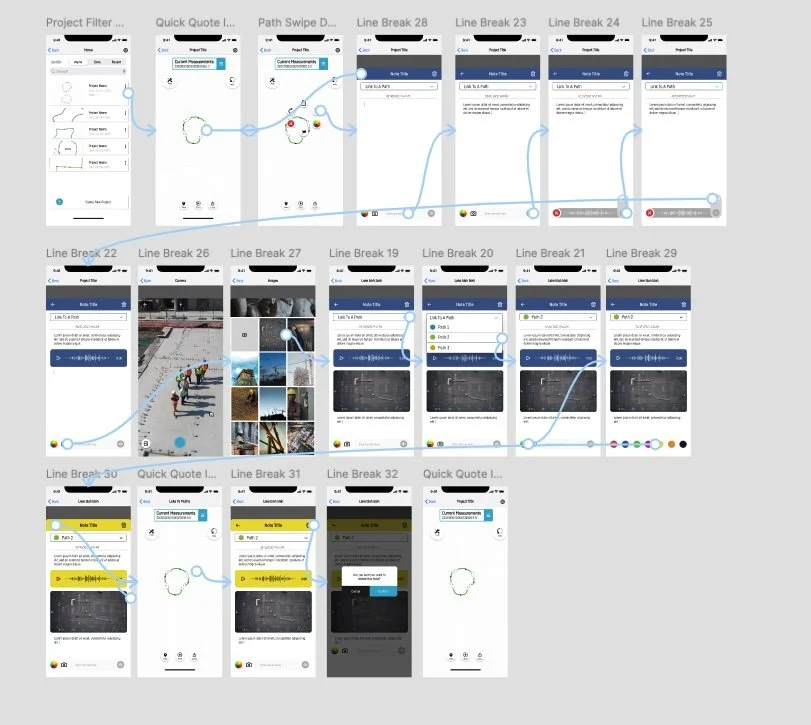
Key Constraints
The biggest challenge was space within the existing UI. The development team had several upcoming features already planned that limited where additional components could live. Because of this, the notes feature had to be lightweight, intuitive, and easy to access without disrupting the current layout.
Problem: Locations contained multiple paths, but users had no way to add or reference notes for individual walks.
Solution: Create a dedicated notes system accessible at both the location and path level.
Each saved file in the app represented a location, but within those files the business wanted the ability to hold multiple distinct walking paths, each with its own notes attached. To solve this, I designed:
A raised “tools” icon that triggers a pop-up panel.
This panel includes several quick-access sections—one of them being the new notes feature.A persistent notes icon attached to each individual path.
Users can open, edit, or reference notes at any time without navigating away from their measurement workflow.
This approach kept the interface clean while making notes easily discoverable and always accessible.